
Accounting Settings
Turn on the Accounting tab and set your fiscal year, home-office and vehicle business-use percentages, and per-category deduction rates.
Updated 2026-06-14
The Accounting Settings section turns on bookkeeping for your business and sets the defaults used when calculating deductible expenses. Open it from Business settings → Accounting Settings.
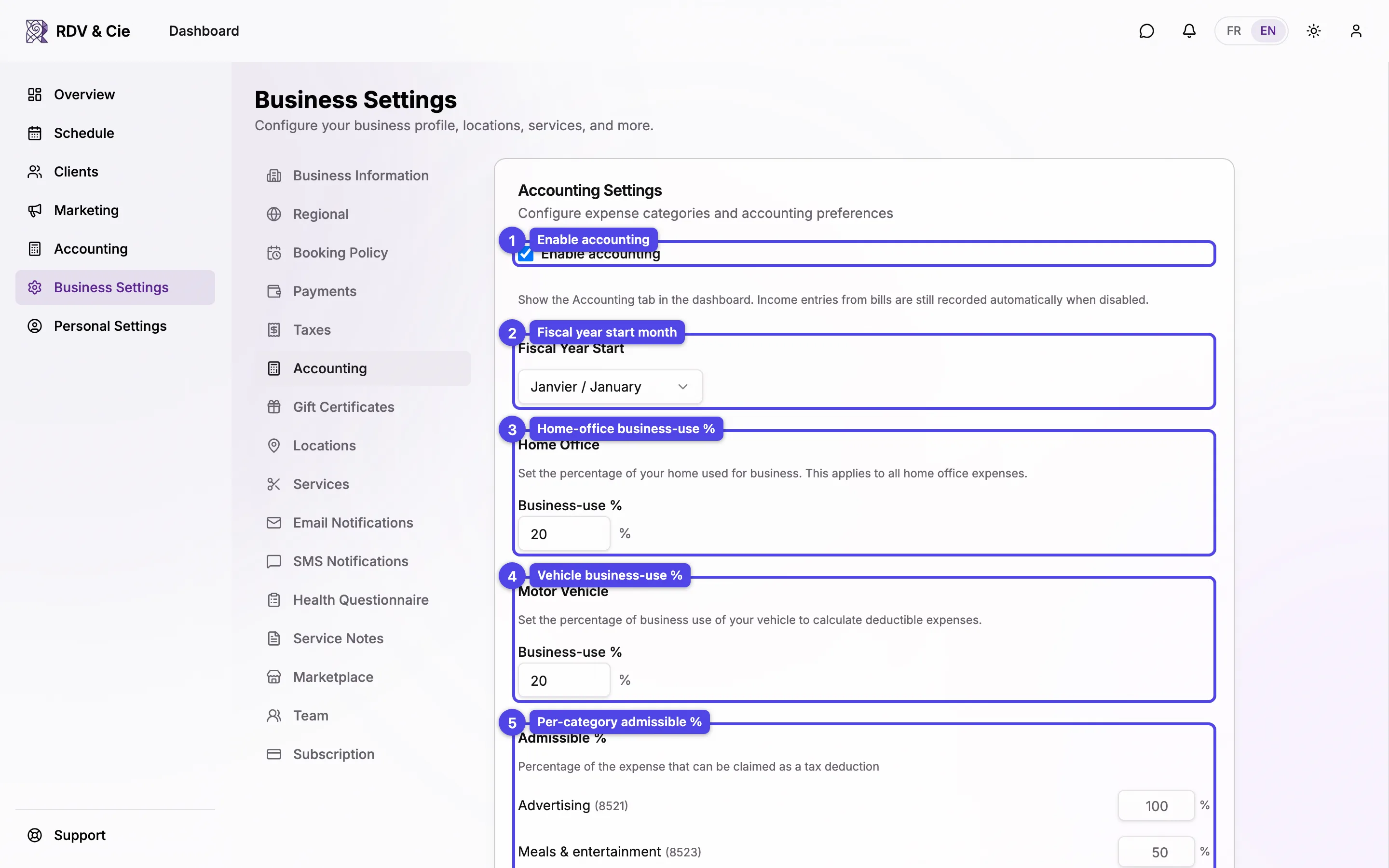
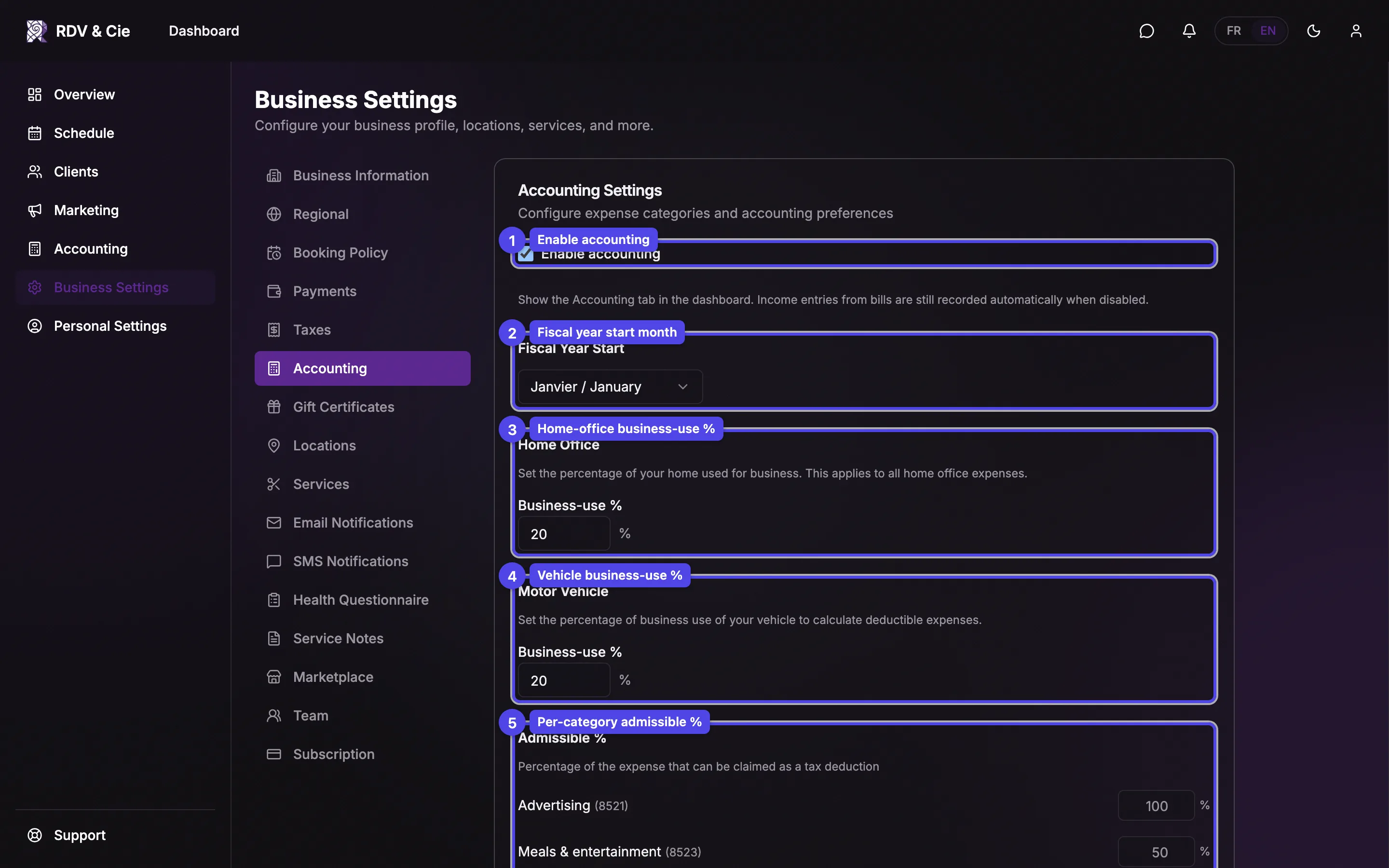
Enable accounting
Tick Enable accounting to show the Accounting tab in the dashboard. The rest of the form below only appears once accounting is on. Income entries from bills are still recorded automatically even when accounting is disabled — turning it off only hides the Accounting tab.
Fiscal Year Start
Pick the month your fiscal year begins (for example, January). This drives how the accounting reports group income and expenses by year.
Home Office
Under Business-use %, enter the percentage of your home used for the business (0–100). This rate is applied to every home-office expense when calculating the deductible portion.
Motor Vehicle
Under Business-use %, enter the percentage of your vehicle used for business (0–100). It is used to calculate the deductible part of your vehicle expenses.
Admissible %
Each business expense category lists its default admissible % — the share of the expense that can be claimed as a tax deduction. The category's matching T2125 line number is shown beside its name. Type a number to override a category's default; leave a field blank to keep the default (shown as the field's placeholder).
This form has no Save button — every field saves automatically as you change it, with a small confirmation in the corner.