
Marketing overview
The Marketing hub: gift certificates, promo codes, newsletters, boutique, reviews, and statistics — and what each tab does.
Updated 2026-10-02
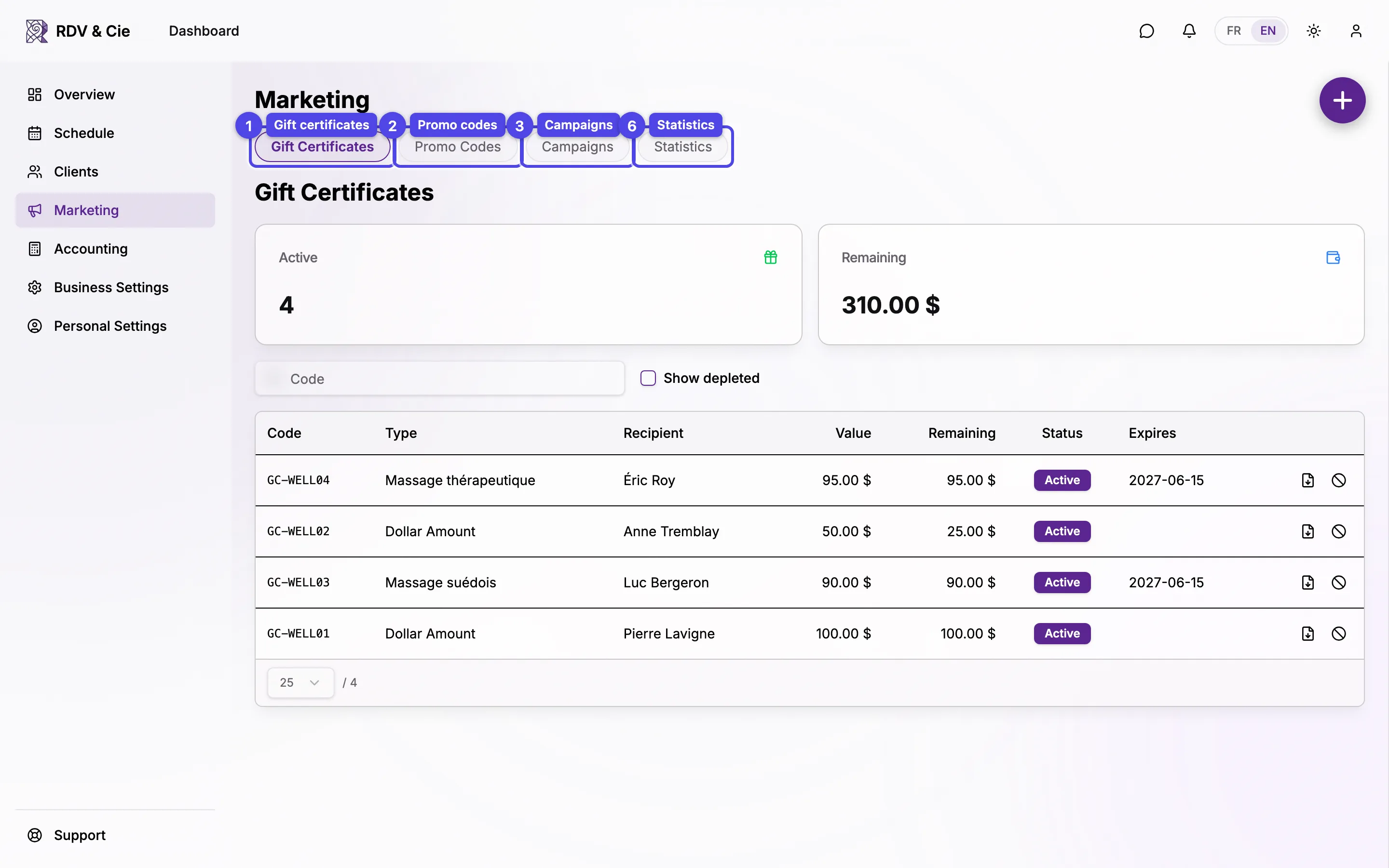
The Marketing area brings together everything you use to grow and keep clients. It opens on Gift Certificates and the tabs across the top switch between the six surfaces. Each tab is its own page, so you can bookmark or link straight to it.
The tabs
Gift certificates
Issue and track gift certificates — by dollar amount or for a specific service. Download each one as a PDF and disable any that need to be voided. See Gift certificates.
Promo codes
Create discount codes — a percentage or a fixed dollar amount — and scope them to services, locations, team members, or a single client. See Promo codes.
Newsletters
Build and send email and SMS newsletters with a block editor, recipient targeting, scheduling, and booking attribution. See Email and SMS newsletters. This tab also holds your subscribers and your public signup page.
Boutique
Turn on a public storefront where clients buy gift certificates and packages online. See Boutique.
Reviews
Read client reviews, reply publicly, and report anything that breaks the rules. See Reviews.
Statistics
A marketing analytics dashboard — revenue, retention, sources, top services and clients, and more. See Statistics.
You only see the tabs you have permission for. Boutique appears once Stripe payouts are connected; Reviews appears when reviews are enabled for your business; Newsletters appears when the newsletters feature is on.
Which tab should I use?
- Give someone credit toward your services → issue a gift certificate.
- Run a discount (seasonal sale, loyalty perk) → create a promo code.
- Reach your whole client list with news or an offer → send a newsletter.
- Grow your list with people who aren't clients yet → share your newsletter signup page.
- Sell certificates and packages without lifting a finger → enable the boutique and share the link.
- Manage your reputation → reply to reviews.
- See what's working → open statistics.